
SouthBridge Consulting Blog
SouthBridge Consulting has been serving the Texas area since 2015, providing IT Support such as technical helpdesk support, computer support, and consulting to small and medium-sized businesses.


If you use the Internet every single day, you’ll start to realize that you can use it more effectively for achieving your goals. In cases like this, it’s important to look at ways you can improve your overall use of the Internet, as it’s the key way you access important information, applications, and contacts. Here are some day-to-day tips that you can use to help improve your mastery of the Internet.
0 Comments

If you are a dedicated user of Google Calendar, you’ll have realized that it’s recently undergone a significant improvement. Google has pushed out an update that has really polished their calendar in terms of both visual appearance and functionality, which is something that you’ll really appreciate, especially if you are a G Suite user. How can you use this new version of Google Calendar for your business?

Whenever you download a file from the Internet, the file will, by default, go to an aptly-titled folder in Windows called Downloads. Unless you change the default settings, your files will always be saved here. But what if you want to make it so that your downloads go somewhere else? You can accomplish this pretty easily. We’ll walk you through how to do it for some of the most popular browsers, including Google Chrome, Microsoft Edge, and Mozilla Firefox.
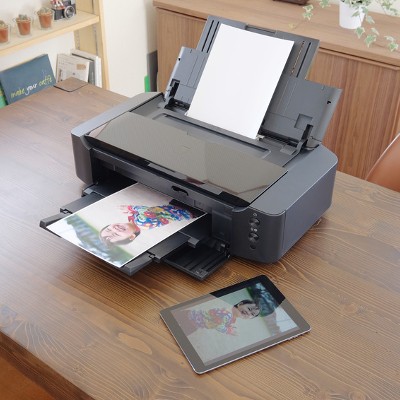
Most people don’t think to try and print something out from their smartphone--particularly because it’s such a new concept. With smartphones quickly becoming just as fast as desktops from just ten years ago, it shouldn’t be such a stretch to suggest printing from them. Thanks to the cloud, you can use your Android smartphone to print something directly from the device.